Traffic and pages
Pageviews, users, sessions, and top pages in one report.


Website analytics
First-party analytics that ties visits and conversions back to the source — so you can spend on what works.
Less than 10,000 pageviews per month is completely free.
What Atribusi does
Traffic, sources, conversions, live sessions, and optional replay sit in one dashboard.
Pageviews, users, sessions, and top pages in one report.
See referrers and acquisition channels for each visit.
Set PATH or EVENT goals. Atribusi records one conversion per goal per session.
Send events with properties. Break them down in reports.
Watch active sessions as they happen.
Optional. Replay mouse, clicks, and scroll for a visit.
See user flow from entry to close, drop-off pages, and the path a session took.
Filter by date, country, city, device, OS, browser, path, and referrer.
Product preview
The live demo uses the Atribusi dashboard. It opens on Overall (all reports). Audience, pages, conversions, and real-time are included.
app.atribusi.com/demo/overall
How it works
Install the first-party tracker. Then open traffic, sources, goals, and live visitors in one place.
Step 1
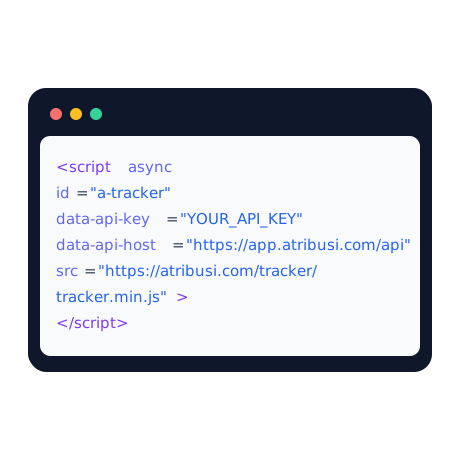
Paste the snippet before the closing body tag. The tracker records pageviews on load and SPA navigations.
Step 2
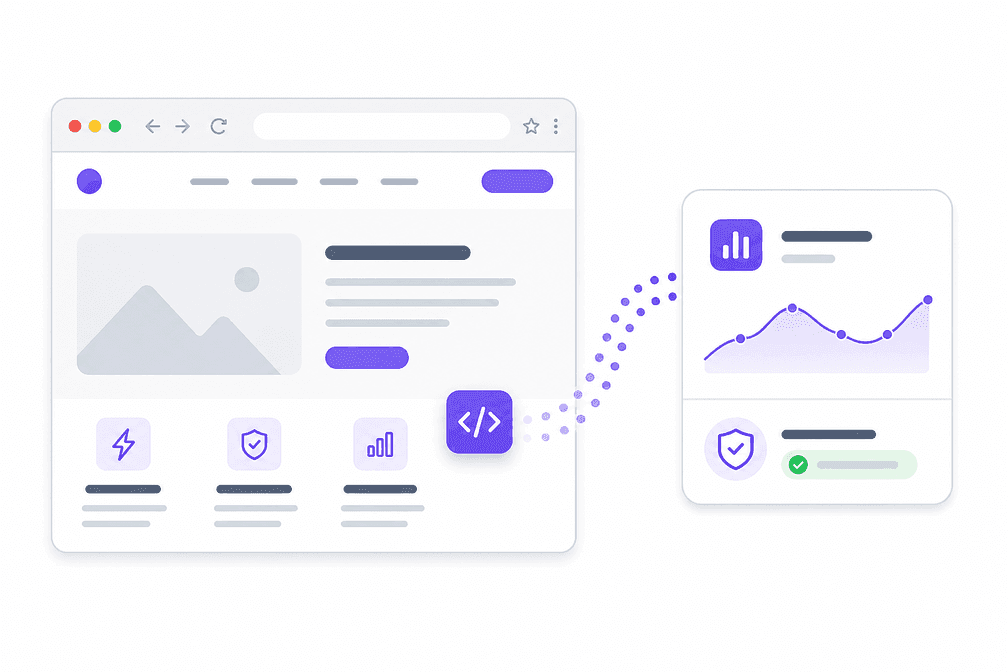
Outbound clicks are on by default. Bots are filtered. Custom events can carry properties.
Step 3
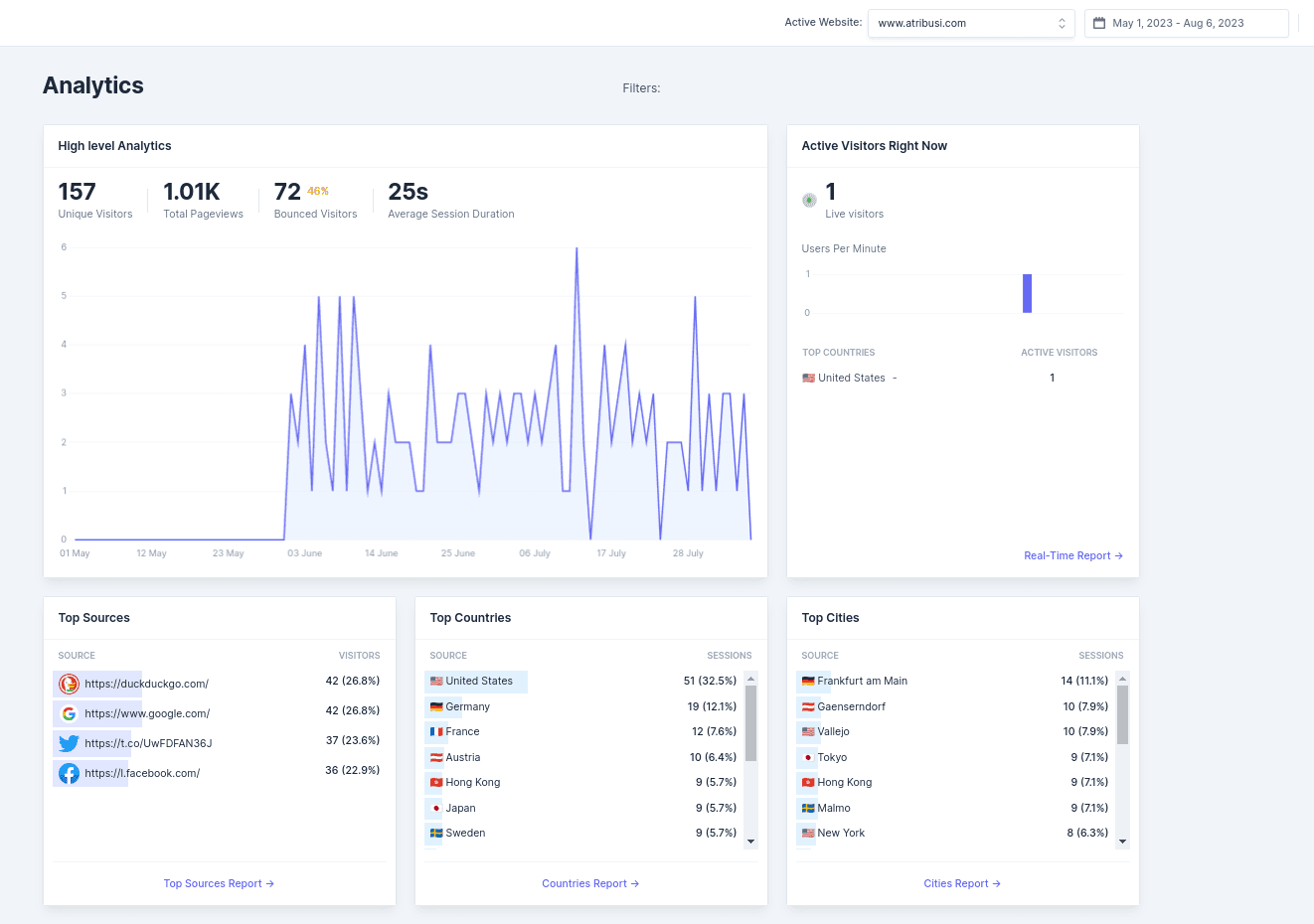
Open overview, audience, acquisition, pages, conversions, events, and real-time. Filter the same data.
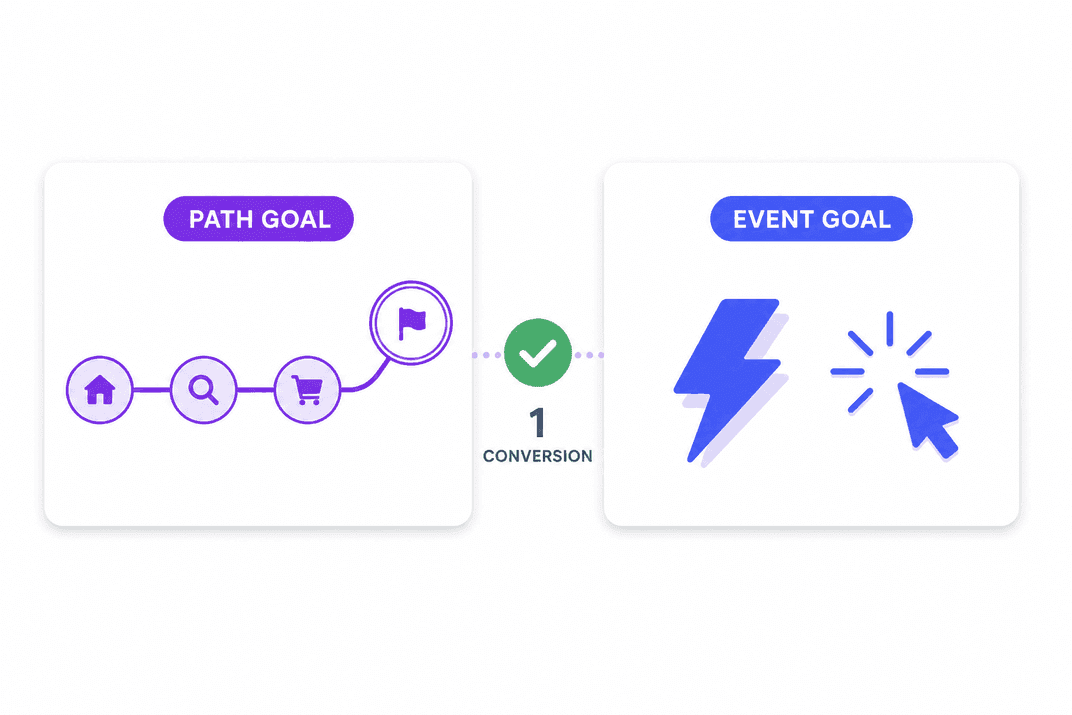
PATH and EVENT goals. One conversion per goal per session. Funnels live on the Conversions page.
Invite viewers and editors from Websites → Shared Websites.
Export site data or delete it from Account Settings. We do not sell it.
Optional. Add data-session-replay="true" and watch mouse, clicks, and scroll.
Reports
Overview shows traffic and conversions. Audience, acquisition, and pages hold the breakdowns. Journeys shows user flow. Real-time shows live visitors. Session replay plays a visit back.
Traffic and conversions for the selected range.
Country, city, device, OS, and browser.
Referrers and channels that send visits.
Top pages, entry pages, and exit pages.
Path analysis, drop-off pages, and session paths.
Goals and funnels for PATH or EVENT targets.
Custom events and property breakdowns.
Live visitors and the current session table.
Play a visit back when replay is on.







Less than 10,000 pageviews per month is completely free.
$0 for the 10k pageview plan. Paid plans start at 100k pageviews. A 60-day money-back guarantee applies.
Less than 10,000 pageviews per month is completely free.
$0. Completely free. No credit card required.
Monthly pageviews
Your price
Completely free
Unlimited websites
One script tag
Data export and delete
Real-time visitors
Unlimited team members
Custom events and properties
Live session activity table
Conversions by channel and entry page
Optional session replay
Automatic bot traffic filtering

Less than 10,000 pageviews per month is completely free.
$0. No credit card. Paid plans start at 100k. A 60-day money-back guarantee applies.