

Atribusi docs
These pages are the product reference for every feature: install, reports, conversions, replay, sharing, privacy, and the MCP server. Short how-to posts walk through the same features. Search should treat the docs URL as the main page.
Agents can also read /llms.txt and /llms-full.txt.
Install the tracker
Add this snippet before </body> on every page. Full steps: Install the tracker.
<script
  async
  id="a-tracker"
  data-api-key="YOUR_API_KEY"
  data-api-host="https://app.atribusi.com/api"
  data-domain="example.com"
  data-scl="false"
  src="https://atribusi.com/tracker/tracker.min.js"
></script>
Reports
After install, open Overview. Use Overall when you want every report on one page. The public demo uses sample data.
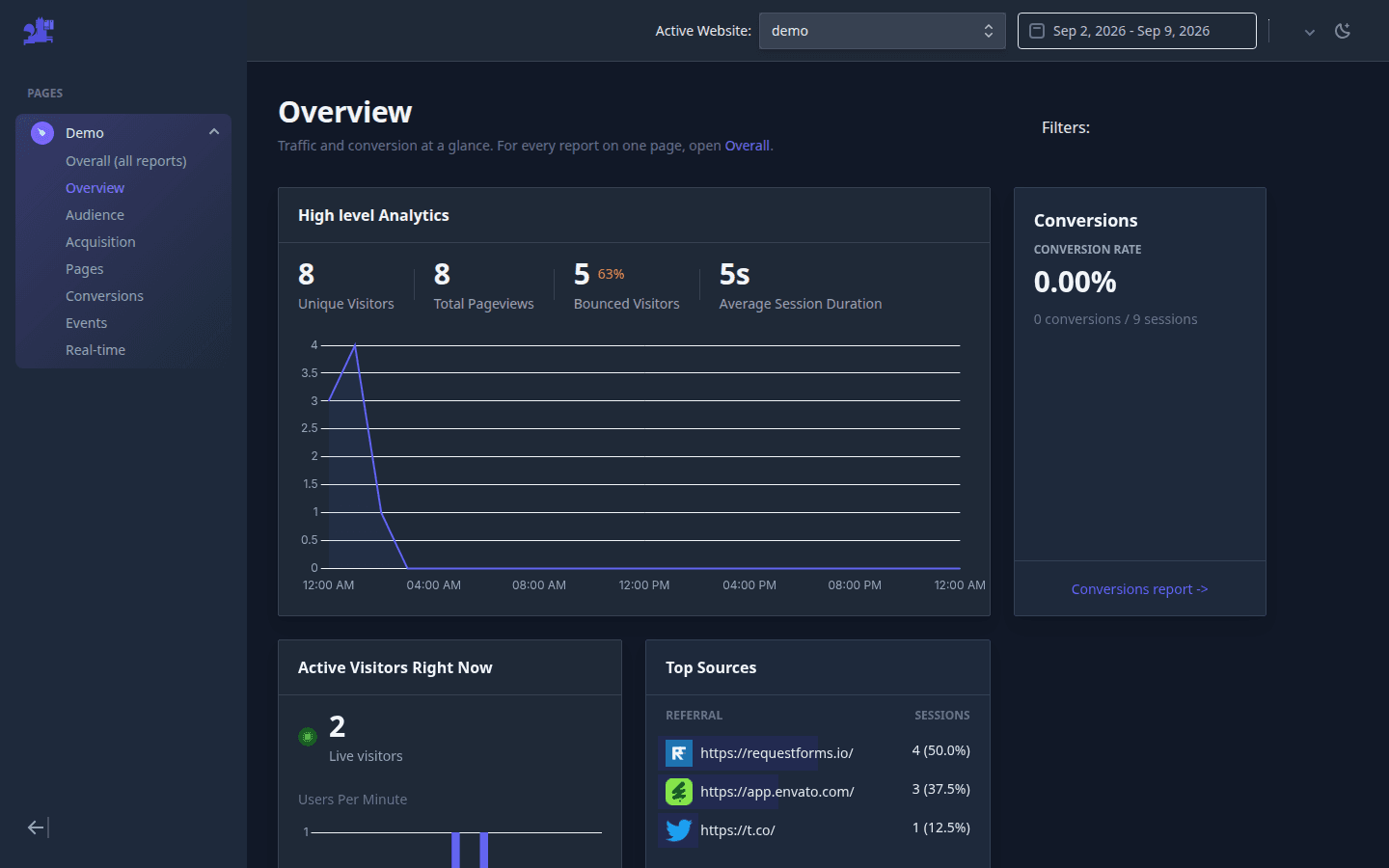
- Overview — Users, sessions, conversions, live visitors, top sources, and top pages at a glance.
- Overall — Every analytics report on one page for the selected date range and filters.
- Audience — Countries, cities, devices, operating systems, and browsers.
- Acquisition — Referrers, acquisition channels, and UTM campaigns.
- Pages — Top pages, entry pages, exit pages, and session journeys.
- Events — Custom events and event property breakdowns.
- Real-time — Live visitors, active pages, and current session paths.
- Filters — Filter reports by date, country, city, device, OS, browser, path, and referrer.
- Journeys — Path analysis, drop-off pages, and session journeys on a dedicated report.
JavaScript API
Use window.atribusi.trackEvent to send custom events. See JavaScript API.
Goals
PATH goals match a URL. EVENT goals match a custom event name. Atribusi records one conversion per goal per session. Goals docs.
Session replay
Set data-session-replay="true" on the tracker. Then open Session Replay in the app. Session replay docs.
MCP server
Production serves MCP at https://app.atribusi.com/mcp. Remote clients sign in with OAuth. Full setup: MCP server docs.
Team sharing
Invite viewers and editors from Websites → Shared Websites. Team sharing docs.
Privacy
Export or delete data from Account Settings. Privacy docs. Cookieless tracking: cookieless mode.
Cookieless mode
Pass data-cookieless="true" to keep visitor IDs in memory for the current tab. Each tab is a new user. Cookieless docs.
FAQ
- What is Atribusi?
- Atribusi is first-party website analytics. You add one script. The dashboard shows traffic, pages, sources, goals, live visitors, and optional session replay.
- How do I install the Atribusi tracker?
- Paste the tracker script before the closing body tag on every page. Use the API key from Websites, then your site. Pageviews should appear in Overview within a few seconds.
- How do conversion goals work?
- A PATH goal matches a URL. An EVENT goal matches a custom event name. Atribusi records one conversion per goal per session.
- Can an AI agent read my analytics?
- Yes. The Atribusi MCP server lets an agent read visitors, channels, campaigns, goals, and session replays. It can also call the authenticated API.
- What is the difference between users and sessions?
- A user is a distinct visitor cookie. A session is one visit. A session ends after 30 minutes idle or when campaign parameters change. One user can have many sessions. Older Unique visitors numbers counted sessions.
- Does Atribusi require cookies?
- The default tracker writes a first-party visitor cookie that lasts two years. That cookie is the user id. Pass data-cookieless="true" to keep the visitor ID in memory for the current tab only. In cookieless mode each tab is a new user.